Awhile back, I’d started a list of "101 Uses for Twitter", but never seemed to get past 27 for some reason. Of course, it had been last autumn since I brainstormed on it. While I don’t think that I personally could come up with 101 uses, I’m sure there are many more than that.
So I thought about this again for awhile this morning and did think of 50 uses that I’ve seen or participated in. So here is a list of 50 uses for Twitter, I’m thinking of more as I write this, so maybe there is a chance at that "101" post sometime.
Keep in touch with my Twitter peeps friends
General news item links
News & links on my industry or area of interest
Fast answers to quick questions
Professional networking
Links to nearly everything
Marketing
Personal branding
Corporate & product branding
Haiku’s
Making friends
Feel "plugged into the web and it’s various personalities"
Replacement for instant messaging applications
Chat tool
Promotional tool for my blog
Providing new reading opportunities
Fun stuff!
Meeting new, interesting people to communicate with
Collecting links
Finding sites related to social networking
"To listen in on my contacts rants"
A web worker "water cooler"
Micro-blogging
A personal "techmeme"
Lightweight text broadcasting tool
Easy way to annoy your spouse
Promotional tool for my brand
Ranting
Idea generator
No-cost non-profit announcement system
Bring a sense of community to your home office
Tracking status of friends
Status message generator for other social networks
Frustration generator (at least when it is down)
Thought publisher
Promotional tool for my organization
Following public discussions
Travel guide
Controlled discussion between friends
Uncontrolled discussion between friends with viewers
List generator
Meeting agenda generator
Coffee shop locator
People search
Promotional tool for my company
Product reviews
Trip planner
Backchannel for events
Feedback generator
Authentication mechanism
So what are you uses for Twitter? I’m sure I didn’t capture them all, so add your ideas and things you use Twitter for below.
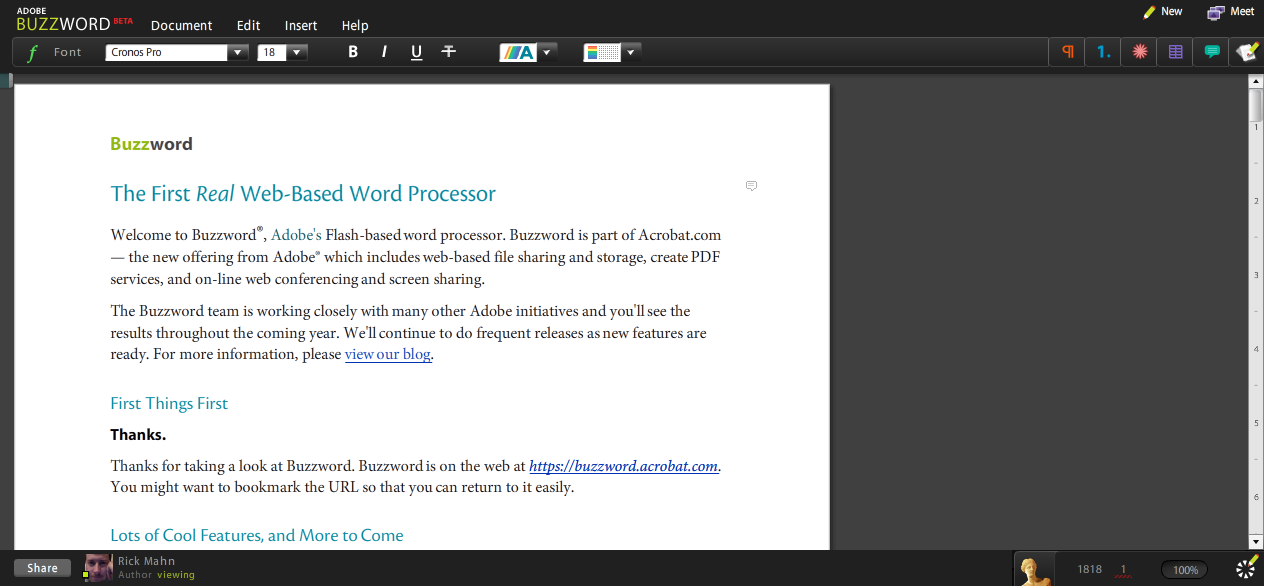
Just a quick weekend look at Adobe’s new "online office" product – Acrobat.com. At least, that’s how I found it referred to in some of the news bits today. Overall I was impressed with the first release of Adobe’s Acrobat.com efforts. With a slick, Flash based interface, it has good performance and is visually appealing.
They seem to be starting out with some good features, but are missing many. Zoho is closest to providing an online office suite that compares anywhere near Microsoft Office. Adobe is starting out with a word processor, document sharing ability with a generous 5GB of space, a document to PDF conversion tool, and a really nifty web conferencing application.
The word processor, called BuzzWord, is what you’d expect. It has the basics and is similar feature wise to Google Docs. PDF conversion is straight forward, you can upload a doc to convert and it saves the resulting file in the My Files applet. File sharing is accomplished from the drop-down context menu and provides the ability to embed the doc into a site.
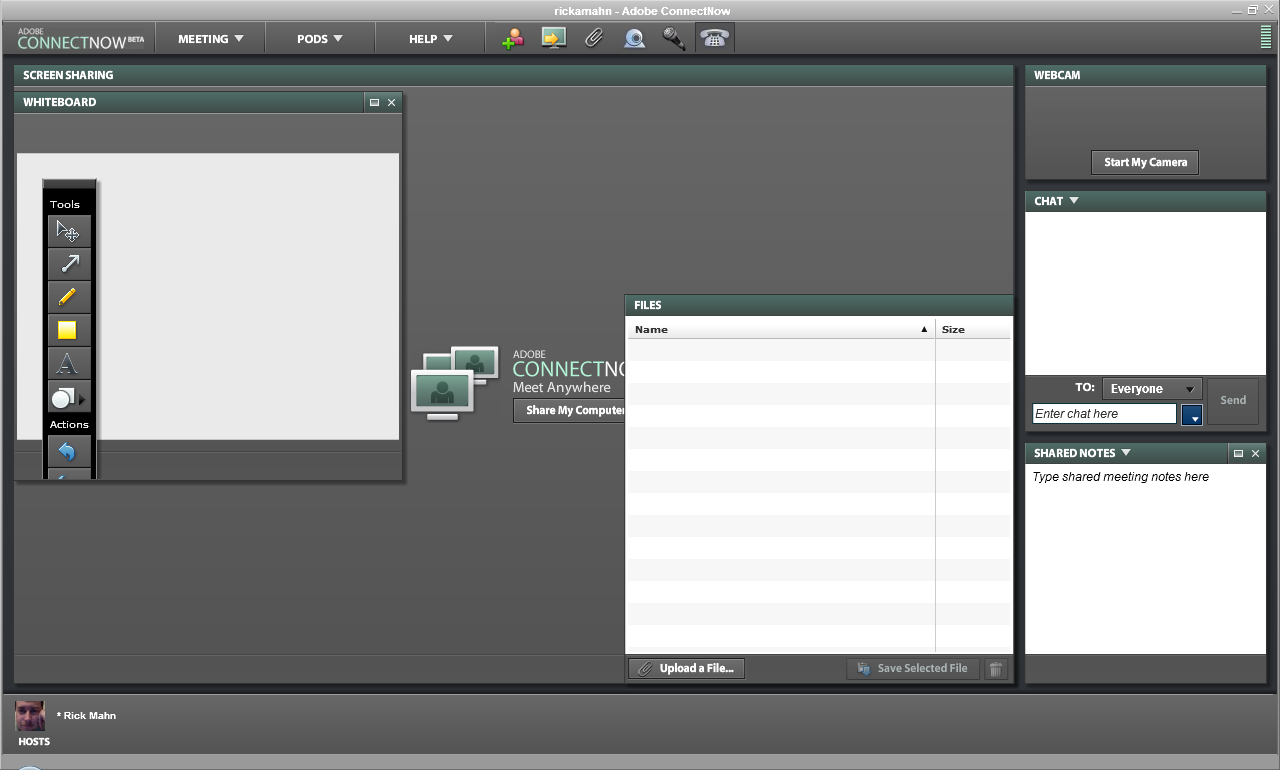
The most impressive app included here is the web conferencing, called ConnectNow, which has features similar to WebEx. Adobe provides each user their own room, assigns a conference phone number to it, allows for desktop sharing, meeting notes, group & individual IM, and WebCasting with an optional web cam. Good stuff.
Just a couple bullet points:
Look & Feel: Wow – the Flash based interface is impressive
Consistency: Needs some work, changing applications launches too many windows
Integration: Very little between "applications"
Functionality: Depends on feature – some are quite rich, others very basic
Features: Document sharing, Word Processor, PDF Conversion, Web Conferencing
Overall it’s a good start. There is a long way to go to compete evenly with Google Docs & Spreadsheets, but then Google doesn’t have a web conference tool. It’s not going to compete with MS Office, or any of the others for some time. With that said, however, if you want to convert some documents to PDF, host documents that you can link to in email or from a website, or a decent free web conferencing tool, it might be a good adjunct to your current solutions.
As governor, the State Capitol will stand for unity and common sense.
In addition to the POW/MIA flag that has long flown over the State Capitol, we will fly two flags when I am governor: the Wisconsin state flag and the American flag.